

“Why does my TV freeze when I paid extra for 4K?”
That question comes up constantly among IPTV users.
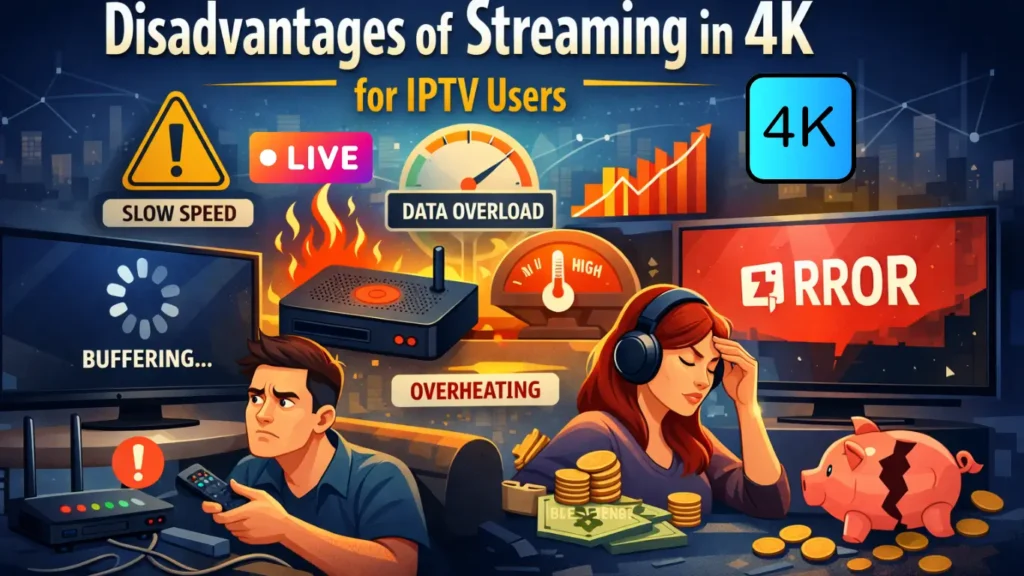
Streaming in 4K sounds like the perfect upgrade sharper picture, better sports, cinema-like movies. But many users quickly run into problems: buffering, unstable apps, overheating devices, high data usage, and rising costs.
This guide explains the real disadvantages of 4K IPTV, why these problems happen, and what you can do to avoid them.
Table of Contents
The Core Issue with Streaming in 4K
4K IPTV pushes your internet, device, and home network much harder than most people expect. The picture quality improves, but the technical load increases sharply.
For many IPTV users, the result is more troubleshooting than watching.
If you want to go deeper into the setup side of things, there’s a full guide to setting up 4K IPTV streaming that walks through the right devices, internet requirements, Apps and a few practical tips that can save you a lot of frustration.
1: Heavy Internet Usage
smooth 4K uses much more data than standard streaming.
| Stream Quality | Approx Data Per Hour |
|---|---|
| 1080p IPTV | 2–3 GB |
| 4K IPTV | 7–12 GB |
This leads to:
- internet slowdowns
- data cap pressure
- sudden buffering during peak hours
2: Frequent Buffering and Freezing
4K streams react badly to even small network drops. A short fluctuation in speed or Wi-Fi signal can cause:
- freezing
- stuttering
- audio dropouts
- complete disconnects
This makes live sports and events especially frustrating.
If this sounds familiar, our step-by-step guide on how to fix IPTV buffering issues explains the most common causes and simple ways to stabilize your stream.
3: High Device Requirements
Many IPTV boxes sold as “4K” struggle with real 4K streams for long sessions.
Minimum hardware for stable 4K
- Quad-core processor
- 2 GB RAM or more
- Hardware HEVC decoder
- Ethernet connection or strong Wi-Fi
Cheap boxes often overheat, crash, or become unresponsive.
4: App Instability
4K content exposes weaknesses in IPTV apps.
Common problems:
- TiviMate freezes when switching channels
- IBO Player crashes after long sessions
- VLC loses audio sync
- Built-in TV players fail under load
The higher the stream quality, the more fragile the app becomes.
5: Higher Subscription Costs
4K streaming packages usually cost more. Providers need stronger servers, more bandwidth, and more storage, and that expense is reflected in the subscription price.
Many users pay more without gaining stable performance.
6: Network Congestion Sensitivity
Even strong connections suffer during:
- live sports
- evening hours
- weekends
4K quality streaming is the first to break when networks become busy.
7: Constant Technical Maintenance
4K demands regular adjustments:
- VPN location testing
- DNS changes
- router tuning
- player buffer control
- device updates
Many users end up spending more time fixing than watching.
8: Device Heat and Wear
4K decoding puts heavy pressure on:
- CPU
- GPU
- memory
- power supply
This increases heat and shortens the life of IPTV boxes and routers.
9: Limited Visual Gain for Most Homes
For typical viewing distances and screen sizes, the difference between 1080p and 4K is much smaller than expected. Many users accept major technical headaches for a picture improvement that is barely noticeable in daily use.
Comparison Table: 1080p vs 4K
| Factor | 1080p IPTV | 4K IPTV |
|---|---|---|
| Internet load | Moderate | Very high |
| Buffering risk | Low | High |
| Device stress | Low | High |
| Subscription cost | Lower | Higher |
| Setup difficulty | Simple | Complex |
| Overall stability | Strong | Fragile |
Practical Advice for IPTV Users
Many of the problems described above are not caused by 4K itself, but by weak servers, unstable apps, and poorly optimized IPTV systems.
A well-built 4K IPTV setup with stable servers, proper encoding, and optimized delivery can remove most of these issues. Users who want smooth 4K viewing should focus on choosing a reliable IPTV service that is designed for long viewing sessions and consistent performance.
Who Should Choose 4K streaming
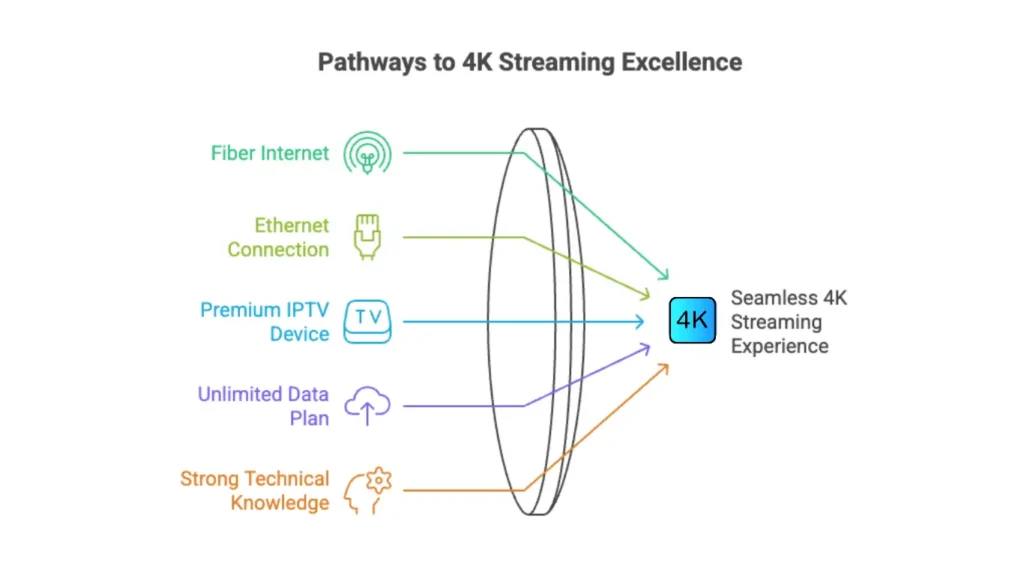
Choosing 4K streaming isn’t only about internet speed. The quality of your streaming device, HDMI cable, router, and network setup can all affect your viewing experience. Before upgrading to 4K, make sure you have the right equipment for 4K IPTV.
- Fiber internet
- Ethernet connection
- Premium IPTV device
- Unlimited data plan
- Strong technical knowledge
Who Should Stay with 1080p IPTV
- Wi-Fi households
- Budget IPTV devices
- Data-limited plans
- Users who want smooth viewing
For most IPTV users, 1080p delivers the best balance of quality, stability, and cost.
Final Thoughts
4K streaming looks impressive, but the disadvantages are real: higher costs, unstable playback, constant maintenance, and faster hardware wear.
Choosing the right quality level saves time, money, and frustration and keeps your IPTV experience enjoyable.
