

Ever looked at IPTV plans and thought: “Why are there so many options… and what am I actually paying for?”
You’re not alone.
Most people don’t get confused by the streaming part. They get confused by the subscription part: plan lengths, pricing, devices, trials, “M3U vs Xtream,” buffering, VPN talk, and what’s actually needed to make it work smoothly.
we will explain how IPTV subscriptions work in real life, how typical plans are structured, what affects pricing, and how to set up IPTV on common devices without making it complicated.
What an IPTV subscription is (in simple terms)
An IPTV subscription is a paid access plan that lets you stream TV channels and/or on-demand content through an internet connection (instead of cable or satellite).
Think of it like other streaming services:
- You choose a plan (monthly, quarterly, yearly)
- You receive access details
- You use an app/player on your device to stream
How IPTV delivers video
Most modern IPTV streaming works using adaptive streaming, meaning the video quality can adjust up/down depending on your internet conditions. That’s why sometimes a stream looks sharp, and sometimes it drops quality during busy hours.
This also explains a big truth:
Your experience depends on 3 things: your internet + your device + the stream source.
IPTV plans explained: monthly vs quarterly vs yearly
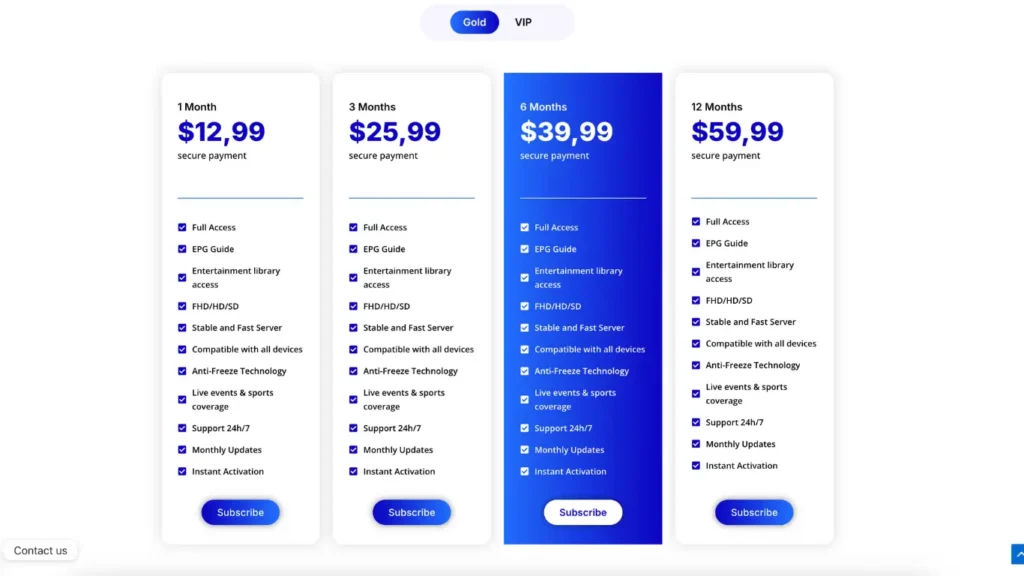
Most IPTV providers offer plan lengths like:
- 1 month (good for testing)
- 3 months (balanced)
- 6 months / 12 months (best value if you’re confident)
Here’s the easiest way to choose:
If you’re new
Start with a short plan so you can test:
- stability at peak hours
- device compatibility
- support responsiveness
Following a simple IPTV buying guide can also help you compare providers before choosing a longer plan.
If you already know what works for you
Longer plans can be cheaper per month, but only worth it if your setup is stable.
IPTV pricing: what usually affects the cost
Pricing varies mainly because of:
1) Stream quality (HD vs 4K)
4K usually needs more bandwidth and better encoding/servers. For comparison, many streaming platforms recommend around 25 Mbps for 4K playback (as a baseline).
2) Server capacity and uptime
Stable providers invest in infrastructure so streams don’t collapse during big events.
3) Content type
Some plans emphasize:
- Live TV
- VOD libraries
- Sports packages
- International channel bundles
4) Support and maintenance
Good support costs money—cheap services often cut here first.
Quick comparison table: common IPTV plan options
| Plan type | Best for | Pros | Watch-outs |
|---|---|---|---|
| Monthly | First-time users | Low commitment | Higher cost per month |
| 3 months | Most people | Better value, still flexible | You still want to test first |
| 6–12 months | Confident users | Best “per month” value | Only if service stays consistent |
| Trial (24h/48h) | Testing | Best way to check quality | Trial can be “best server” vs normal |
What you need for a smooth IPTV setup
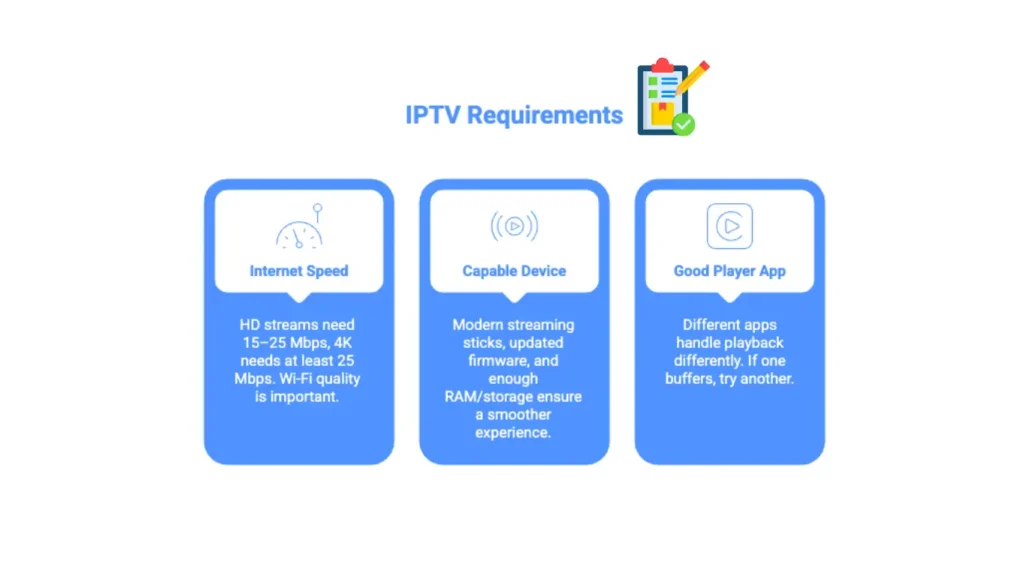
1) Internet speed (realistic guidance)
For a single stream:
- HD: often fine around 15–25 Mbps
- 4K: many platforms use ~25 Mbps minimum as a baseline, but more is better if your home has multiple devices.
Also remember: Wi-Fi quality matters as much as raw speed.
2) A capable device
A smoother experience usually comes from:
- modern streaming sticks/boxes
- updated firmware/apps
- enough RAM/storage for the player
3) A good player app
Different apps handle playback differently (decoder, buffering behavior, UI). If one app buffers a lot, another may work better on the same device.
IPTV setup: the basic steps (most devices)
Step 1: Pick a plan and get your access details
Typical login formats you may receive:
- Xtream Codes (URL + username + password)
- M3U playlist link
- sometimes both
Step 2: Install an IPTV player app
Install a player on:
- Android TV / Google TV
- Firestick
- Smart TV (where supported)
- phone/tablet
- PC
Step 3: Add your playlist / login
- paste your Xtream details or M3U link
- load channels + EPG (if provided)
Step 4: Optimize playback
Common “quick wins”:
- switch decoder (hardware/software)
- adjust buffer settings
- use Ethernet if possible
VPN + IPTV: when it helps, when it hurts
A VPN can help with privacy, but it can also cause buffering if:
- the VPN server is far away
- the server is overloaded
- latency spikes
Tips:
- choose a VPN server close to you
- avoid crowded servers
- test with VPN ON vs OFF to compare stability
If you’re comparing plans, see our IPTV plans here.
Legality and safety (high-level, educational)
IPTV as a technology is legal, but content distribution depends on licensing/rights. In the U.S., copyright law includes DMCA processes and notice/takedown frameworks.
Also, be careful with random “free streaming” sources—scams, malicious popups, and phishing are common patterns on the internet, and the FTC regularly warns users not to click suspicious popups/links.
Common problems (and quick fixes)
Buffering
- test speed at the device (not just your phone)
- switch from Wi-Fi to Ethernet
- try a different player or decoder
Channels missing / EPG not loading
- refresh playlist
- confirm the correct EPG URL
- clear app cache
Works on phone but not on TV
- TV app is weaker than mobile
- your TV may not support certain codecs well
A simple “before you buy” checklist
| Check | What to look for |
|---|---|
| Plan transparency | clear plan length + renewal terms |
| Device support | works on your exact device |
| Stability | test at peak hours if possible |
| Support | response speed, setup help |
| Privacy | safe login, no sketchy popups |
Conclusion
IPTV subscriptions aren’t complicated once you break them down:
- A plan is just time-based access
- Your experience depends on internet + device + player
- Short plans/trials help you test before committing
- Small setup tweaks often fix most “buffering” complaints
