


The way we enjoy TV is changing fast and IPTV is leading the way. Gone are the days of messy cables and expensive satellite dishes. Today, it’s all about streaming, and if you want the clearest, sharpest picture.
With 4K technology, everything looks more real from live sports to blockbuster movies. Personally, I use IPTV on my Smart TV to watch VOD (Video On Demand), and the difference is amazing. Every scene feels more alive, with brighter colors and incredible detail.
In this guide, I’ll explain how 4K streaming works, why it’s becoming so popular, and how to set up a smooth viewing experience using modern IPTV technology.
Table of Contents
What Is IPTV and How Does It Work?
IPTV (Internet Protocol Television) delivers TV channels and video over the internet instead of traditional cable or satellite systems. Instead of tuning into a broadcast signal, you stream content using your internet connection.
Benefits of IPTV Service :
- On-Demand Flexibility : Watch your favorite TV shows, movies, and live sports whenever you want. No more waiting for fixed broadcast times.
- Wide Range of Content : Access thousands of channels from around the world, including niche and international content that normal cable often doesn’t offer.
- Cost Efficiency : IPTV is often much cheaper than traditional cable or satellite packages, while still giving you access to the channels and content you actually watch.
What Does “4K” Mean for Streaming Quality?
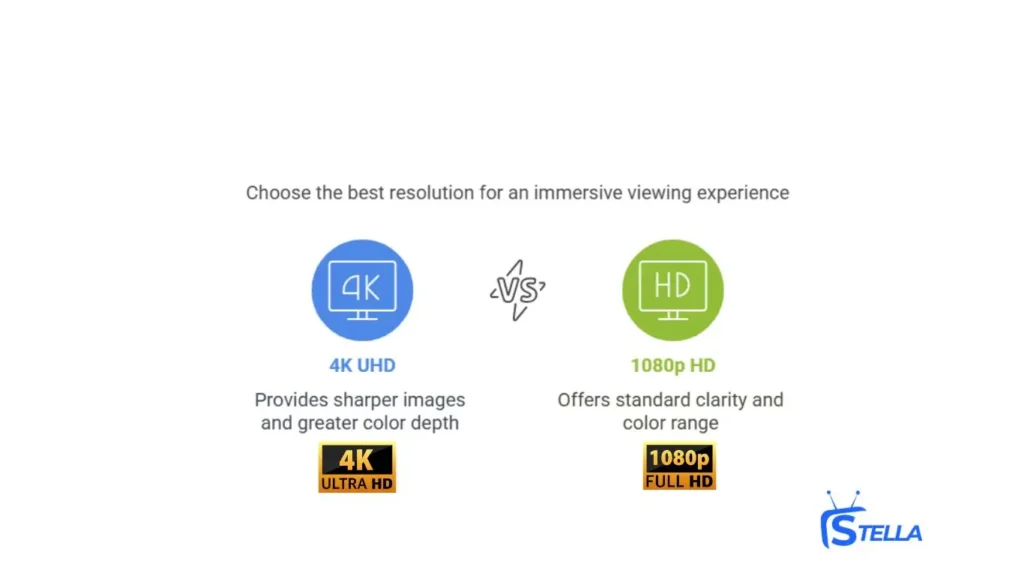
“4K” refers to 4K Ultra High Definition (UHD) video resolution, which is almost four times the clarity of standard 1080p Full HD. More pixels = sharper images, more detail, and a more immersive viewing experience.
Key Characteristics of 4K Video
- Resolution: 3840 × 2160 pixels (vs 1920 × 1080 for Full HD)
- Greater Color Depth: More shades, better contrast, and a wider color range
- Enhanced Detail: Much sharper picture, especially on larger screens
With IPTV 4K, viewers can enjoy sports, movies, and series with impressive detail that makes everything feel more lifelike.
Pixel Dimension Breakdown
| Quality Level | Standard Resolution | True Pixel Count Calculation |
|---|---|---|
| SD 480p | 720 × 480 | 720 × 480 = 345,600 pixels |
| HD 720p | 1280 × 720 | 1280 × 720 = 921,600 pixels |
| Full HD 1080p | 1920 × 1080 | 1920 × 1080 = 2,073,600 pixels |
| 2K (QHD/1440p) | 2560 × 1440 | 2560 × 1440 = 3,686,400 pixels |
| UHD / 4K (2160p) | 3840 × 2160 | 3840 × 2160 = 8,294,400 pixels |
| 8K (4320p) | 7680 × 4320 | 7680 × 4320 = 33,177,600 pixels |
How Does 4K IPTV Work?
Here’s a simplified look at how 4K video streaming through IPTV technology works behind the scenes:
Content Delivery
Video content is delivered over the internet rather than through traditional broadcast systems. Everything, live channels, movies, and series is transmitted digitally and requested by your device when you select what you want to watch.
Streaming Technology
Modern streaming systems use adaptive video technology that automatically adjusts quality based on your internet connection. This allows 4K content to remain smooth and stable even if your network conditions change.
Picture Quality Output
When a stream is available in true 4K resolution, the video contains significantly more visual data than HD, producing sharper images, clearer motion, and improved overall detail.
Device Compatibility
To fully display IPTV 4K content, both your playback device and your television must support 4K resolution. Common compatible devices include modern streaming sticks, Android TV boxes, and 4K-enabled smart TVs.
Advantages of 4K IPTV Compared to Standard HD
Streaming content in 4K offers several noticeable advantages over regular HD playback:
- Higher Visual Clarity :The additional resolution creates a more cinematic viewing experience with finer textures and more realistic images.
- Ideal for Action Content : Fast-moving scenes such as live sports, action movies, and nature documentaries benefit greatly from the extra detail and smoother motion of 4K video.
- Long-Term Ready Setup : As more platforms adopt higher resolutions, a 4K-capable setup ensures your home entertainment system remains up to date for future content improvements.
What You Need for a Smooth 4K Streaming Setup

1. Internet Speed Requirements
For stable 4K streaming, your internet connection must be fast and consistent.
- Minimum: 25 Mbps for basic 4K playback
- Recommended: 35–50 Mbps for smoother 4K with HDR
- Households with multiple users: higher speeds are strongly advised
A slow or unstable connection is the most common cause of buffering and quality drops during high-resolution playback. Check the full guide on internet speed for 4K streaming.
2. Compatible Devices
Not all devices are designed to handle 4K video properly. For the best experience, your setup should include:
- 4K Display: A television or monitor that supports 4K resolution
- Modern Streaming Device: 4K-capable streaming sticks, Android TV boxes, or smart TVs
- Updated Software: Keep firmware and system software current to support the latest video formats and codecs
3. HDMI Cable Version Matters
To achieve true 4K output (not just upscaled HD), the connection between your device and TV must support the required bandwidth:
- HDMI 2.0: Supports 4K at 60 frames per second
- HDMI 2.1: Supports 4K at 120 frames per second with advanced HDR features
Older HDMI cables may limit picture quality even if your devices support 4K.
4. App & Player Performance
The media player you use plays a major role in overall 4K stability and picture quality.
Some apps are optimized for handling high-resolution video and large data streams more efficiently. Well-known players such as TiviMate, IBO Player, and similar platforms are commonly used for high-resolution streaming.
Different players process video differently, which can affect:
- Image sharpness
- Motion smoothness
- Frequency of buffering
In many cases, switching the internal video decoder or using a different player can significantly improve playback performance.
5. Content Availability in IPTV 4K
Before adjusting technical settings, confirm that the streaming platform you are using actually provides native 4K content, not simply HD streams labeled as “4K.”
High-quality 4K content typically includes:
- Ultra-high-definition channels
- Clean, high-bitrate sports streams
- Movies and series that remain sharp on large screens
A strong technical setup only delivers its full benefit when the source content itself is produced in genuine 4K quality.
If you’re still comparing options, take a quick look at IPTV subscription plans to see what’s included before choosing your 4K setup.
VPN Optimization for IPTV
A VPN can sometimes help your IPTV experience and sometimes hurt it.
It depends on:
- How far the VPN server is from you
- How busy that server is
- What protocol you’re using
Tips for IPTV 4K with a VPN:
- Choose a server close to your real location to keep latency low.
- Avoid overcrowded or very distant servers, which can add lag.
- For privacy, a VPN is useful because it keeps your activity encrypted and harder to track.
Setting Up IPTV 4K Streaming on Your Device
Getting your system ready for smooth 4K playback can be done in a few straightforward steps:
1. Use a Streaming Platform That Supports IPTV 4K
Make sure the platform or service you are using actually provides native 4K content for movies, series, and live programming.
2. Connect to a Strong Internet Network
For the most stable performance, use a wired Ethernet connection if available.
If using Wi-Fi, connect to a strong 5 GHz network to reduce interference and buffering.
3. Install a High-Performance Media Player
Choose a media player that is well optimized for high-resolution playback.
Popular options such as TiviMate, IBO Player, and similar applications are commonly used for handling large video streams efficiently.
4. Sign In and Select 4K Content
Enter your account details, navigate to the 4K or UHD categories inside the app, and begin streaming high-definition content with full Ultra HD clarity.
Pros and Cons of 4K IPTV
Pros
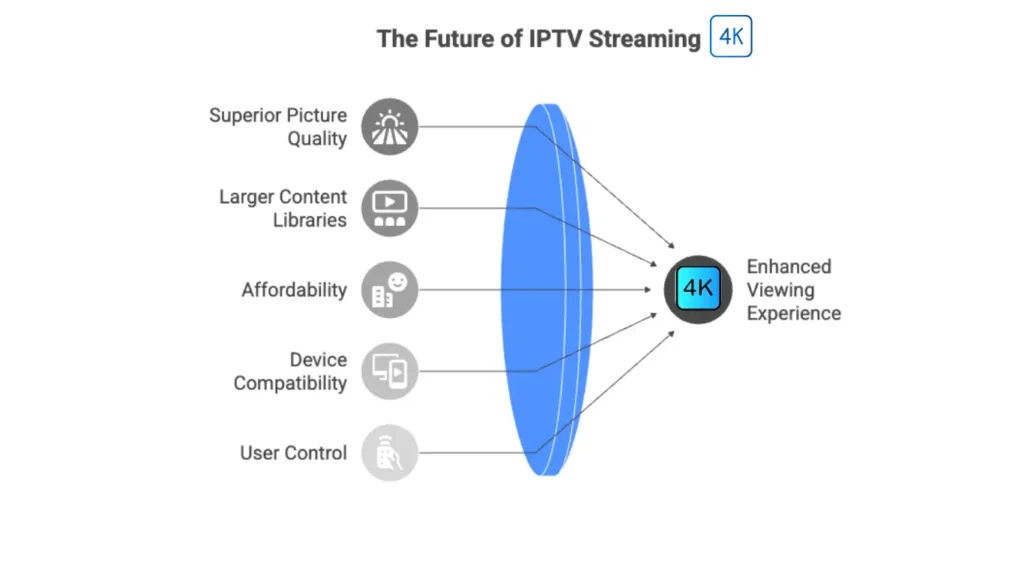
1. Superior Picture Quality
4K isn’t just a little sharper it’s a noticeable jump.
At 3840 × 2160 pixels, you get four times the detail of regular 1080p Full HD, which means grass on a football field looks like real grass, not a green blur. Action scenes stay crisp, colors feel more alive, shadows don’t wash out, and tiny details pop instead of disappearing into noise. The difference becomes even more obvious with sports, nature footage, or movies packed with visual effects.
2. Larger Content Libraries
Many modern streaming platforms that support 4K also provide large channel selections and extensive on-demand libraries, giving viewers more choice and flexibility in what they watch and when they watch it.
3. More Affordable Than Cable
Even though the quality feels premium, IPTV can cost much less than cable or satellite packages.
4. Works Across Many Devices
You’re not tied to one screen. You can stream on boxes, Firestick, Smart TVs, phones, or laptops — as long as the device supports 4K.
5. More Control Over How You Watch
Good providers let you manage favorites, create your own channel lists, and organize content the way you like.
Cons
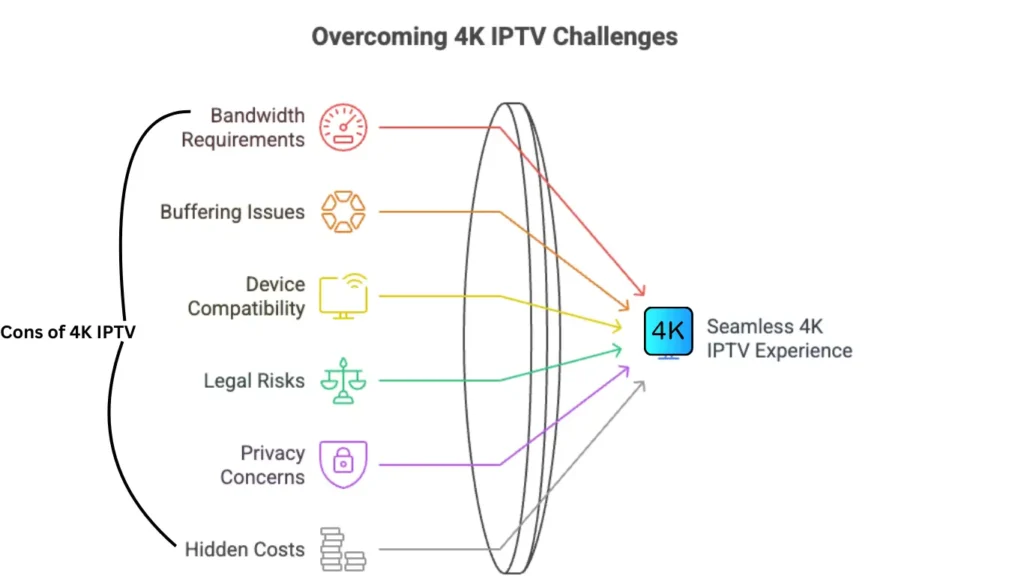
High Bandwidth Requirements
4K needs real speed. Underpowered internet can cause buffering or automatic resolution drops. Understanding common 4K streaming limits helps you avoid performance issues before choosing a 4K IPTV plan.
Buffering at Peak Times
During big live events or peak hours, even a good connection can struggle if the server is overloaded.
Not Every Device Is Ready for 4K
Older or weak devices may lack H.265/HEVC support, enough RAM, or proper HDMI standards.
Legal Risks with Unlicensed Sources
Some IPTV services may stream content without proper rights. Always choose providers that respect licensing in your region.
Privacy Considerations
Because IPTV runs over the internet, it’s easy for services or networks to log what you watch. Many users combine IPTV with a VPN for extra privacy.
Hidden Costs
Region Restrictions
Some channels are only available in certain countries due to licensing, and you may not see everything if you’re outside that region.
No Internet = No TV
If your internet goes down, so does your IPTV.
Common Challenges and Troubleshooting
Some common issues and fixes:
- Buffering or Lagging
- Test your internet speed
- Use a wired connection if possible
- Lower resolution temporarily if your network is weak
- Device Compatibility Problems
- Confirm your TV and box support 4K and H.265
- Update firmware and IPTV apps regularly
- Limited 4K Content
- Check if your provider actually includes 4K channels and VOD
- Make sure you’re in the right 4K or UHD category inside the app
Future of IPTV: Trends to Watch
The future of 4K IPTV looks strong as technology improves:
Smarter Apps : IPTV players will continue to optimize buffering, picture quality, and device compatibility.
Better 5G and Fiber : Faster connections will make 4K (and even 8K) more stable and common.
Improved Codecs : Newer codecs will allow high-quality video with less bandwidth.
FAQ
Are IPTV services legal in the US?
Some are, some aren’t. IPTV is legal when the provider has proper rights to broadcast the content. Always choose licensed services.
Is IPTV Smarters safe to download?
Yes, if you download it from official app stores or the official website. Avoid random APK sites.
What bitrate or speed is needed for content in 4K?
Aim for at least 25 Mbps per 4K stream. More is better, especially if multiple people are streaming.
Which IPTV apps are best for 4K movies?
Apps like TiviMate, IBO Player, and IPTV Smarters Pro are popular choices, but the key is pairing them with a provider that truly supports 4K.
How much data does 4K streaming use?
Roughly 7–10 GB per hour, depending on compression and bitrate.
Conclusion:
4K streaming is an excellent option if you care about picture quality and want a more modern streaming experience. You’ll need:
- A streaming platform that supports native 4K content
- A 4K-capable device and TV
- A good IPTV player
- Stable, high-speed internet
Once those pieces are in place, your living room can feel much closer to a home cinema — especially for sports and movies.
If you still have questions or need a bit of help setting things up, you can always reach out by email and we’ll guide you step by step.
Email: support@stella-iptv.com
