


Watching the FIFA World Cup 2026 live is easier than ever. You can stream matches through official broadcasters or IPTV apps on your favorite device. With the right setup, you can enjoy smooth HD or even 4K streaming from anywhere.
Introduction
The FIFA World Cup 2026 will be one of the biggest sporting events ever, with more matches and more teams than previous editions. Millions of fans are already searching for flexible ways to watch the games live without being tied to cable TV.
If you’re looking for a simple way to stream matches on your Smart TV, Firestick, or phone, IPTV is one of the most popular options today.
Table of Contents
How to Watch World Cup 2026 Streaming?
To watch the World Cup 2026 live, you have a few main options:
- Use official broadcasters in your country
- Stream through apps
- Watch via IPTV apps using a reliable IPTV provider that offers stable live channels and smooth streaming.
In the United States, FOX and FS1 will broadcast matches in English, while Telemundo will provide Spanish coverage. According to FOX Sports announcements, all matches will be covered across their network, with streaming access available via their platforms (https://www.foxcorporation.com). Streaming platforms like Peacock will also offer full match coverage in Spanish through Telemundo (https://www.peacocktv.com).
Official World Cup 2026 Broadcasters
- FOX and FS1 (English coverage in the USA)
- Telemundo and Peacock (Spanish coverage)
- Other local broadcasters depending on your country
Devices You Can Use to Watch the World Cup
You can stream matches on almost any modern device:
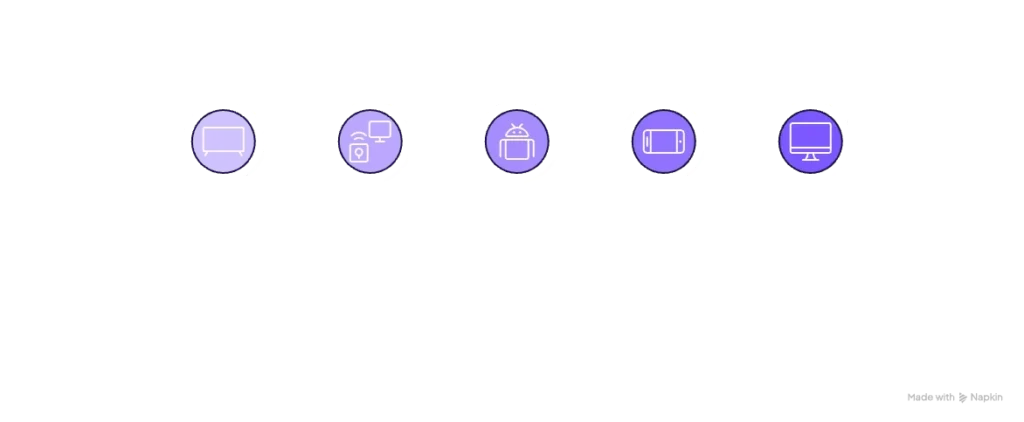
- Smart TVs (Samsung, LG,…..)
- Amazon Firestick
- Android TV boxes
- Smartphones and tablets
- Laptops and desktop computers
Which App Can I Watch World Cup Live On?
Popular IPTV and Streaming Apps
Some of the most popular apps for watching live football include:
- TiviMate
- IBO Player
- Bob Player
- IMplayer
- IPTV Smarters
- Official apps like FOX Sports or Peacock
Choosing the Right App for Live Sports
Not all apps perform the same during big events like the World Cup. Look for:
- Fast channel switching
- Stable playback with minimal buffering
- EPG (TV guide) support
- Good compatibility with your device
Which Streaming Service Has FIFA World Cup 2026?
Official Streaming Services
You can watch the World Cup through these platforms. Many of these services carry official broadcasters like FOX and FS1, which are confirmed rights holders for the tournament (https://www.goal.com):
- FOX One
- Peacock
- YouTube TV
- Fubo
- Hulu + Live TV
These services provide access to official channels broadcasting the matches.
IPTV vs Traditional Streaming Services
| Feature | IPTV | Streaming Services |
|---|---|---|
| Cost | Usually lower | Higher monthly cost |
| Flexibility | Works on many apps | Limited to platform |
| Channels | Wide international access | Region-based |
| Setup | Requires configuration | Easy signup |
What Internet Speed Do You Need for World Cup Streaming?
Recommended Speeds
| Quality | Recommended Speed |
|---|---|
| HD | 10 Mbps |
| Full HD | 15–20 Mbps |
| 4K | at least 25–50 Mbps |
How to Reduce Buffering During Live Matches
- Use a wired connection when possible
- Restart your router before matches
- Avoid heavy downloads during streaming
- Use a reliable DNS or VPN if needed
Expert Tips for the Best FIFA World Cup 2026 Streaming Experience

Based on personal experience and customer feedback, using a good streaming device, a stable internet connection of at least 25 Mbps, and a fast VPN such as NordVPN can help ensure smooth streaming when combined with a trusted IPTV provider. Many streaming experts also recommend VPNs for maintaining stable access and avoiding ISP throttling during live sports events
A high-quality device like an Android TV box or Firestick can make a big difference in performance. Free or low-quality apps may cause buffering during important matches, so choosing a stable app is essential.
Match Schedule
The FIFA World Cup 2026 will feature 48 teams, making it the largest tournament in World Cup history. Matches will be played across the United States, Canada, and Mexico, giving fans more games and more opportunities to watch live football throughout the tournament.
The competition will follow these stages:
| Tournament Stage | Description |
|---|---|
| Group Stage | The opening phase where all 48 teams compete to qualify for the knockout rounds. |
| Round of 32 | The top teams advance to the first knockout stage. |
| Round of 16 | The remaining teams compete for a place in the quarter-finals. |
| Quarter-finals | The last eight teams battle for a semi-final spot. |
| Semi-finals | Four teams compete for a place in the FIFA World Cup Final. |
| Final | The championship match that determines the 2026 FIFA World Cup winner. |
To avoid missing kickoff, it’s a good idea to check the official match schedule in advance and test your streaming setup before match day. Whether you’re watching on a Smart TV, Firestick, Android TV box, or another compatible device, preparing ahead of time helps ensure a smoother viewing experience during one of the busiest sporting events in the world.
Frequently Asked Questions
Can you watch live football on IPTV?
Yes, IPTV allows you to watch live football, including major tournaments like the FIFA World Cup, depending on your provider and channel availability.
Is IPTV good for watching the FIFA World Cup?
Yes, IPTV can be a good option if you use a reliable provider and a stable internet connection.
Can I watch World Cup matches in 4K?
Some broadcasters offer 4K streaming, but you need a compatible device and at least 25 Mbps internet speed.
What device is best for streaming the World Cup?
Android TV boxes and high-performance devices like Firestick or NVIDIA Shield are among the best options.
Final Thoughts
Watching the FIFA World Cup 2026 online is simple if you prepare your setup in advance. Whether you choose official streaming services or IPTV, the key is having a reliable device, fast internet, and a stable app.
If everything is set up correctly, you can enjoy every match live without interruptions.
Disclaimer: This guide is for informational purposes only. We do not host or stream any content. Always ensure you are using legal and authorized streaming services in your country.
